A septic tank alarm going off can be unsettling, especially when you do not know what the warning means. It often signals high water in a pump chamber, but some systems also warn of an aerator fault or another problem. The alarm alone cannot tell you which part needs repair.
First, cut back on water use, read the panel label, and contact your septic service provider. You may be able to silence the buzzer using the marked button, but leave the system powered. A quiet alarm does not mean the fault has been fixed.
What Does a Septic Alarm Mean?
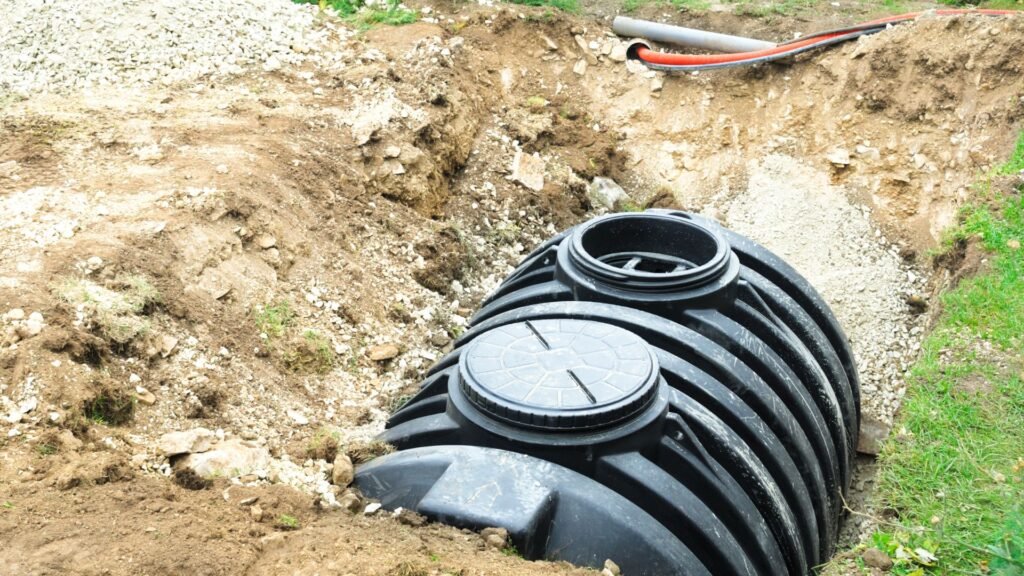
Many pumped and aerobic septic systems have an alarm panel with a light and buzzer. A high-water float or sensor triggers the warning when liquid rises above its set level. This can happen when too much water enters the chamber or the pump cannot move it out.
The University of Minnesota explains that a high-water alarm can signal excess water loading or pump failure. Aerobic units may have separate alerts for air supply and treatment faults. Check your owner’s manual to learn what each light means for your model.
A septic alarm red light deserves attention even if your drains still work. The system may have some spare storage, but that space is limited. There is no safe waiting period that applies to every tank, home, or fault.
Common Causes of a Septic Tank Alarm Going Off
Too Much Water at Once
Several laundry loads, long showers, and a running toilet can put extra strain on the system. Wastewater may enter faster than the pump or disposal area can handle it. A timed system can also reach its warning level during a surge.
Consider a household doing laundry while guests take showers. The combined flow may trigger a high-water alert. That is a possible scenario, not proof that water use caused your alarm. A weak pump or blocked outlet can produce the same warning.
Pump or Power Problems
A septic pump alarm may sound because the pump has lost power, failed, or become blocked. During an outage, household wastewater can keep entering the tank even though the pump has stopped.
After power returns, follow the manufacturer’s guidance and call your service provider if the warning remains. Do not keep resetting a breaker that trips. Leave wiring, pump testing, and electrical repairs to qualified professionals.
Float Switch or Sensor Faults
Floats help control pumping and detect high water. A stuck float, damaged cable, or faulty sensor can disrupt that process. The warning might reflect a true rise in liquid or a control fault.
Treat both possibilities seriously. Do not open tank lids, reach inside, or move floats yourself. A technician needs to check the water level and controls before deciding what failed.
Aerator Trouble
An aerobic septic system alarm can indicate a loss of airflow. The air pump helps supply oxygen for treatment, so an aerator fault needs service even when wastewater levels seem normal.
Read the panel from a safe position and report the exact label to your provider. A high-water light and an aerator light point toward different checks. Their meanings depend on the equipment installed.
Rainwater or Restricted Flow
Heavy rain can affect a soil-based system when the ground becomes saturated. Water may also enter through damaged lids or seals. Blocked filters, pipes, or discharge components can restrict flow and raise levels.
An alarm after rain should not be dismissed as normal. A technician must work out whether the issue involves incoming rainwater, poor drainage, or a separate equipment fault.
| What you notice | Possible cause | Next step |
|---|---|---|
| Alarm after heavy water use | Excess flow or poor pumping | Reduce water use and call |
| Alarm during an outage | Pump without power | Limit wastewater and seek guidance |
| Aerator warning light | Air supply fault | Arrange equipment service |
| Alarm with slow drains | Restricted flow or high levels | Request urgent help |
| Sewage indoors or outside | Serious system malfunction | Stop water use and avoid contact |
What to Do With a Septic Tank Alarm Going Off
1. Reduce Water Use Right Away
Pause laundry, dishwashing, baths, and other nonessential water use. Keep necessary use low while you contact your provider. If sewage is backing up, stop using water in the home.
Do not run taps or flush toilets to test the system. Each test adds more wastewater when the available space may already be limited.
2. Record the Warning
Note which lights are on, any error code, and when the alarm began. Mention recent rain, outages, or unusual water use. A photo of the panel can help the technician identify the equipment.
3. Silence Only the Buzzer
Use the marked silence button only as directed in your manual. Do not unplug the whole system or switch off its power just to stop the noise.
The warning light may remain on until the fault clears. Keep watching the panel and follow your provider’s instructions, even if the sound stops.
4. Keep Away From Hazards
Leave tank covers secured. Keep children and pets away from wet ground or exposed sewage. Never enter a septic tank or lean into an opening. Tank gases and unsafe access can be deadly.
Avoid touching wet electrical controls. If you notice smoke or burning, move away and seek emergency help.
5. Call for Service
Tell your provider about the alarm and any backup, odors, or pooling water. These details help them assess urgency. Do not assume the warning will clear overnight or that pumping alone will solve it.
Does the Alarm Mean Your Tank Needs Pumping?
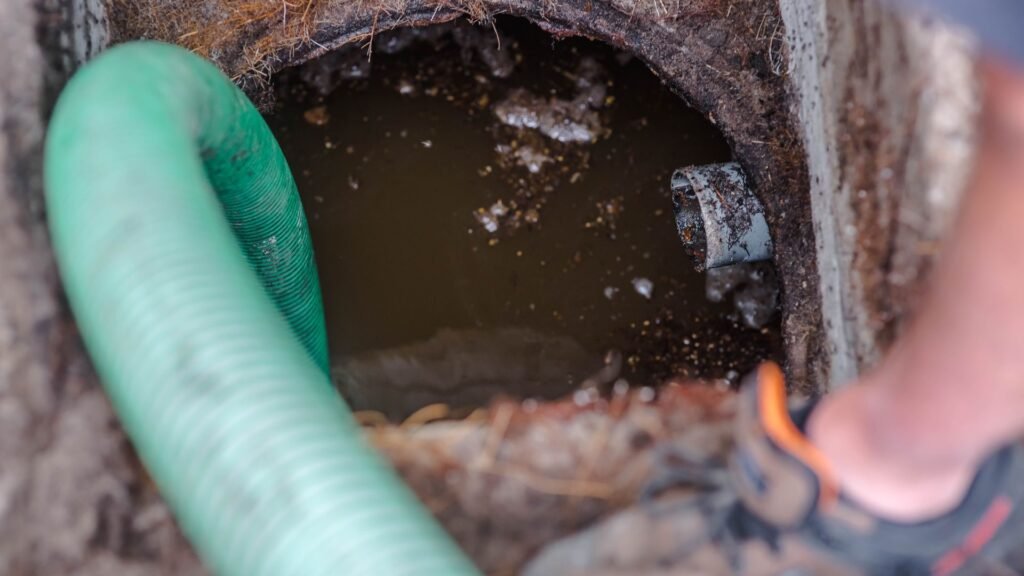
Not always. A working septic tank normally holds liquid. Pumping removes built-up sludge and scum, while an alarm often monitors a separate pump chamber or treatment component.
Removing wastewater may provide temporary relief in some cases. It will not fix a failed pump, damaged float, or blocked discharge line. The cause should be diagnosed before choosing a repair.
A thorough inspection may include the liquid level, solids, filter, pump, floats, controls, and disposal area. Our advice is to describe the warning first rather than request a specific part replacement.
How to Reduce Future Alarm Problems
Keep service records and follow the maintenance schedule for your system. Ask your technician what each alarm means and where to find the manual. This makes the next warning easier to report.
The EPA’s septic system care guide recommends spreading laundry through the week and having mechanical systems inspected more often. It notes that a running toilet can add as much as 200 gallons of water each day.
Fix leaks, protect tank access points, and keep roof runoff away from the drainfield. For signs such as sewage backup, slow drains, and wet ground, read the EPA’s guide to septic system malfunctions.
Read More About Your Septic System
Read our guide to what an aerobic septic system is to understand its treatment parts. Then explore how often to empty a septic tank for help planning routine care.
Final Thoughts
A septic alarm is a prompt to act. Reduce water use, check the warning label, and call for guidance. Avoid opening tanks or trying electrical repairs yourself.
Dillon Septic provides inspections, pumping, maintenance, and repairs in Spring Branch and nearby Central Texas communities. Contact our team to identify the cause and discuss the right next step for your system.